Selling digital products online has become one of the easiest ways to generate revenue. Products like eBooks, software, courses, templates, music, and digital assets can be delivered instantly without inventory or shipping.
With Odoo Website and eCommerce, you can build a complete digital store where customers can purchase and download products automatically.
In this guide, we will walk through the step-by-step process to sell digital products using Odoo Website.
Step 1: Install Required Odoo Apps
Before creating your digital product you must create a odoo website, may be it from Odoo or your Virtual Private Server (like AWS, DigitalOcean, Linode etc). then required few of module to install:
- eCommerce
- Inventory (Required if variants used)
- Documents (Optional)
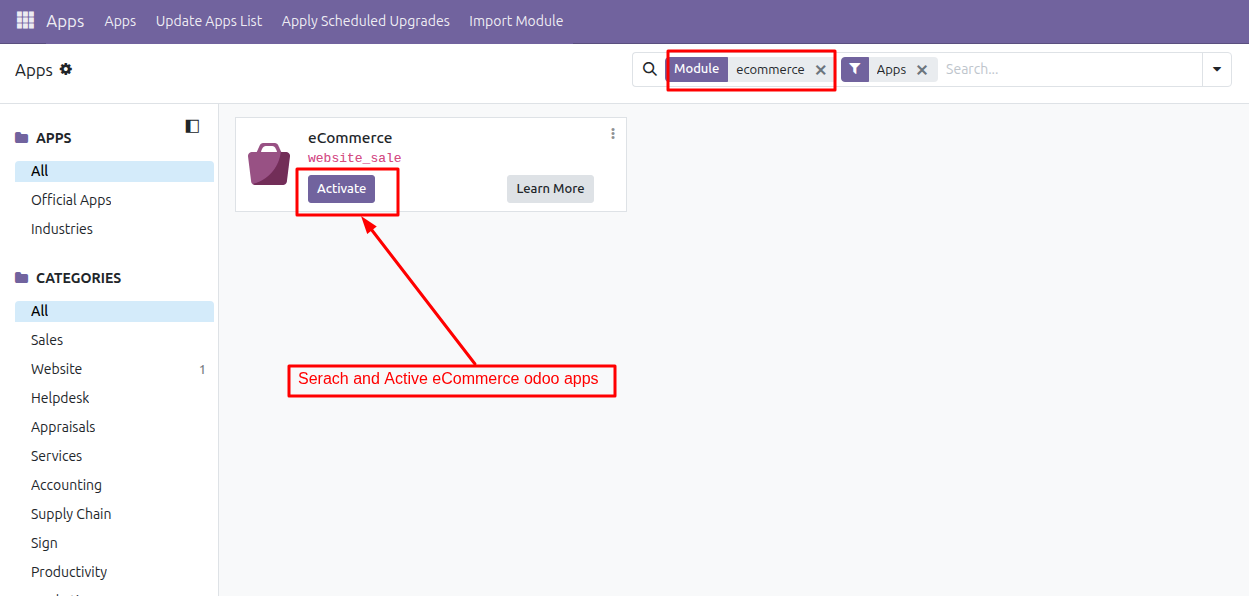
Step 2: Add Digital Product
Once the required apps are installed on your odoo, the next step is to create your digital product.
Navigate to:
Website > eCommerce → Products → Create
Fill in the basic product information such as:
Product Name
Sales Price
Product Description
Product Image
Product Type as Service
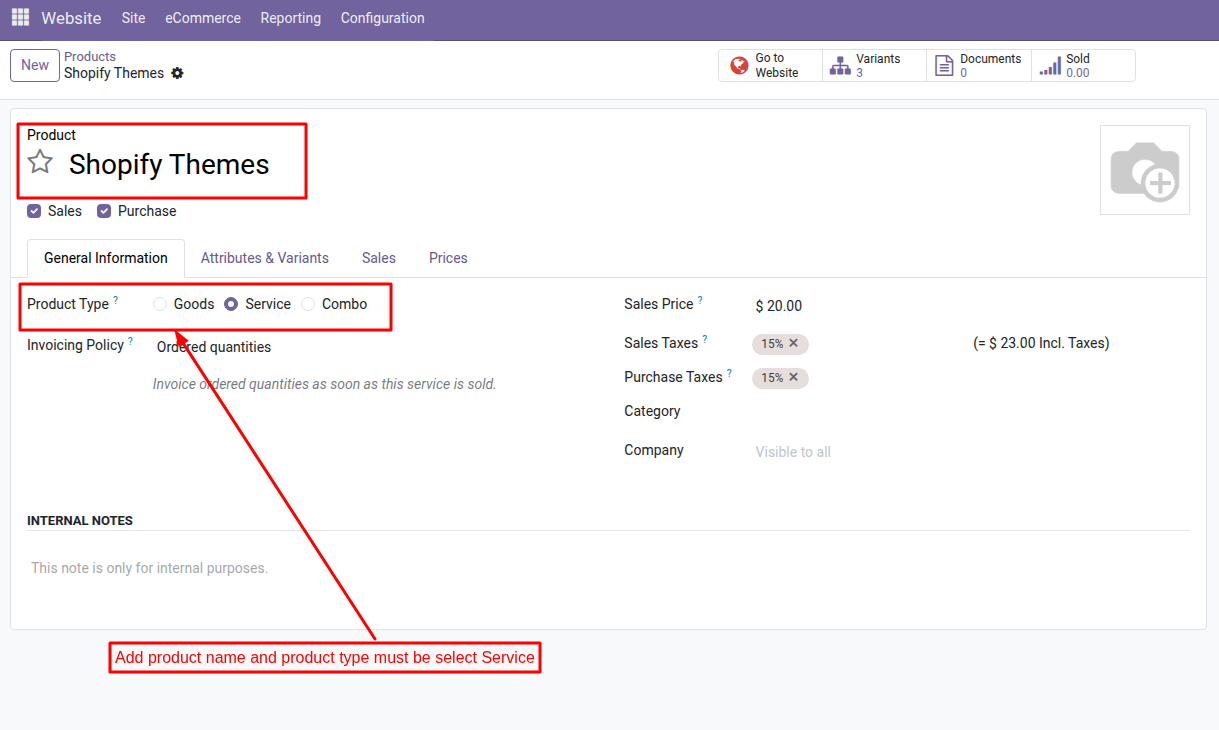
For digital goods, it is recommended to select Service as the product type because there is no physical stock to manage. This allows you to sell the product without inventory tracking.
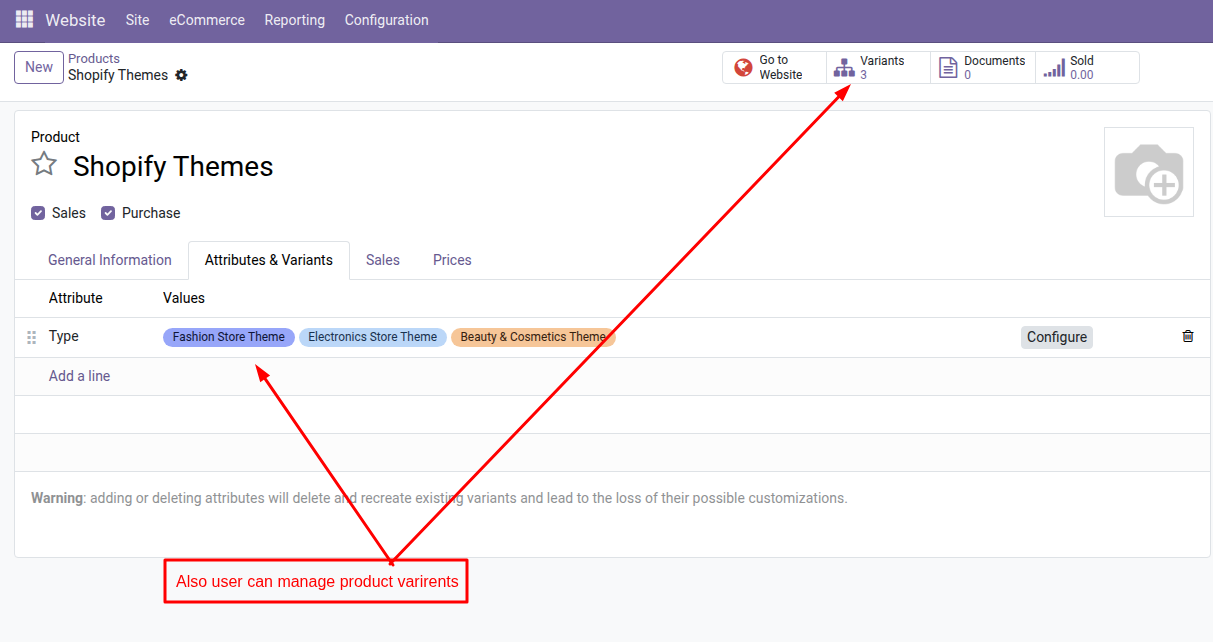
Step 3: Upload Digital File
Your digital product must include a file that customers can download after purchase via website which login user to order.
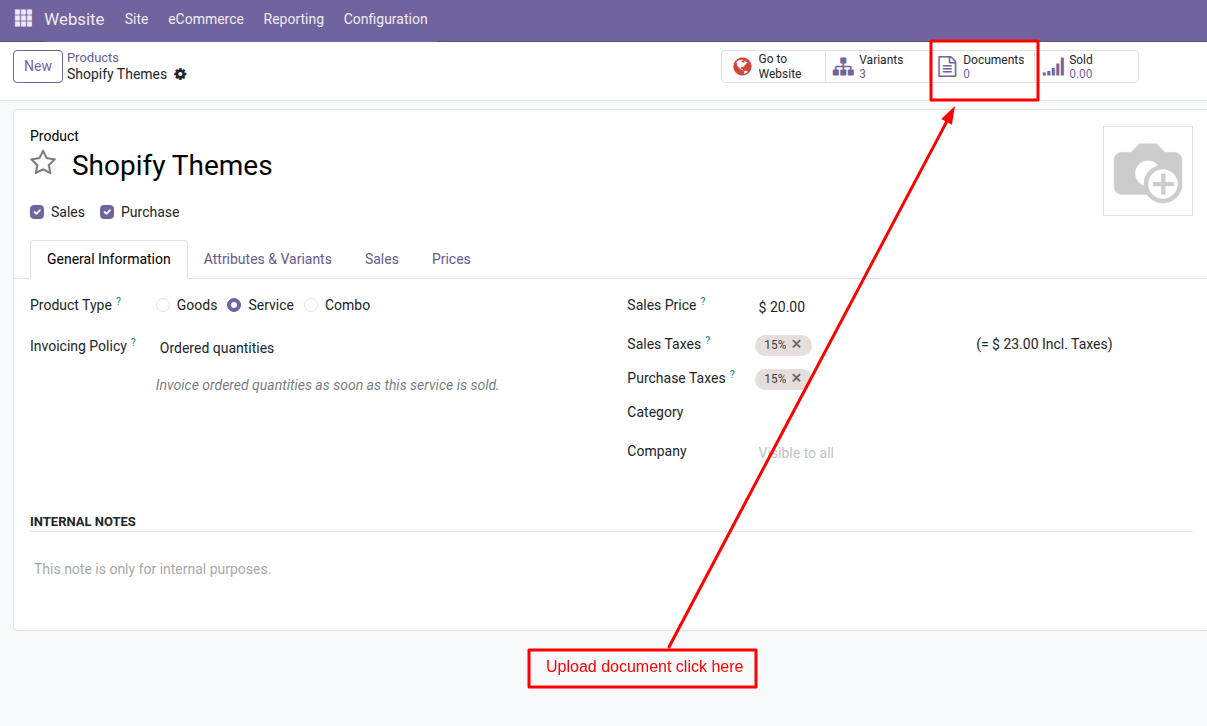
You can upload these files as attachments in the product form or store them using the Odoo Documents module. The Documents app helps organize and manage files more securely, especially if you sell multiple digital products.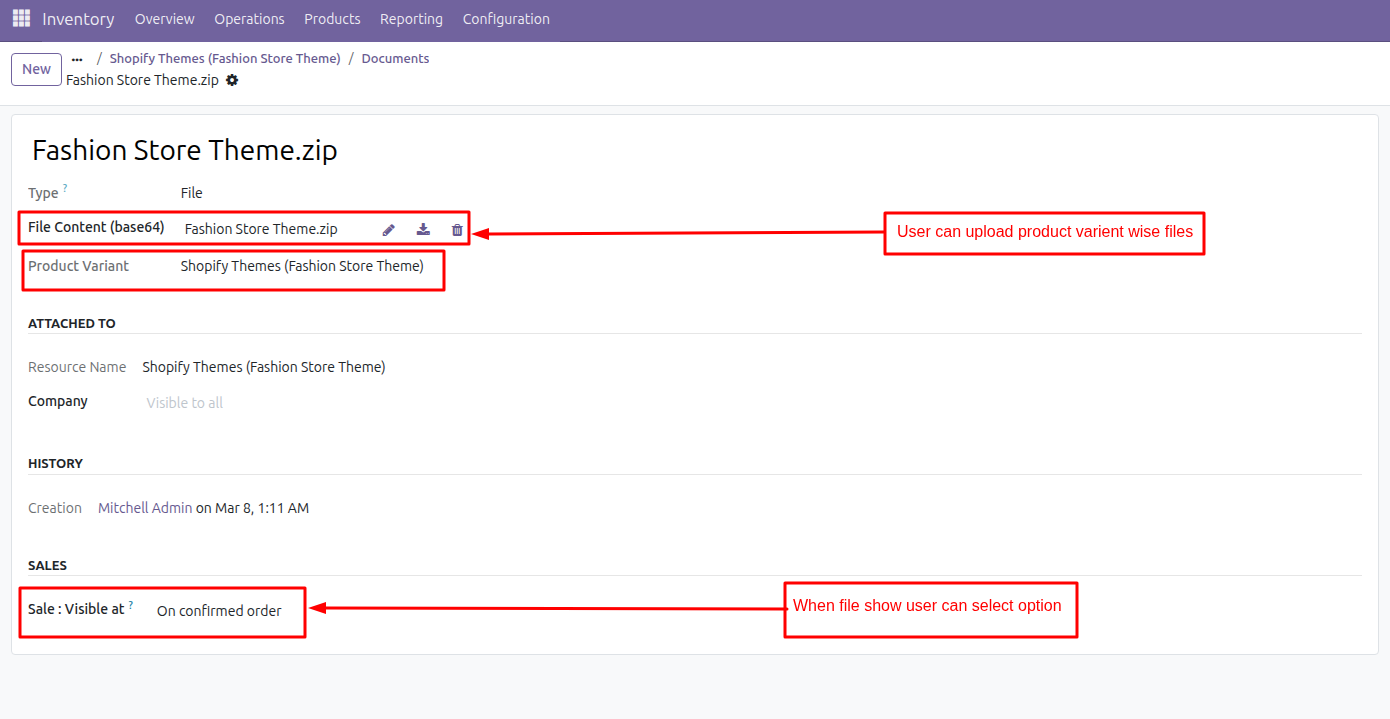
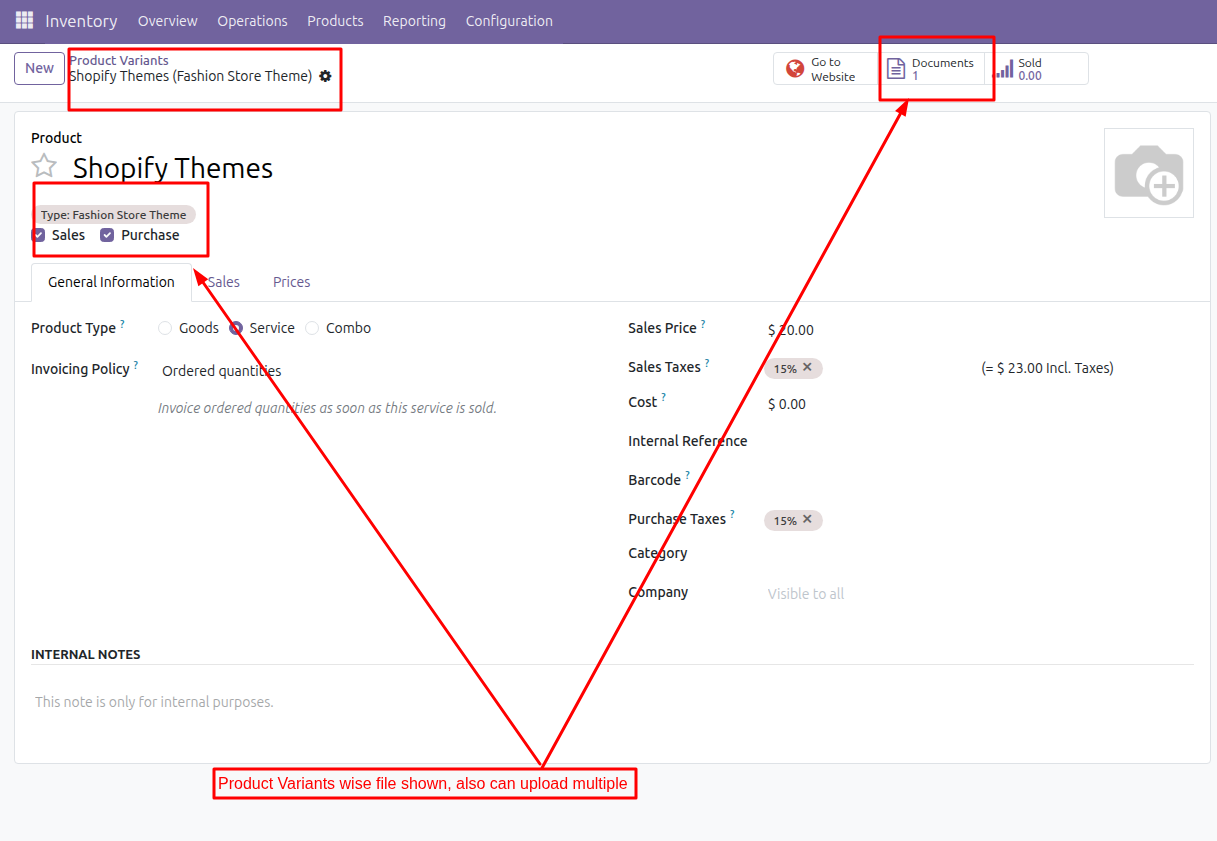
After creating the product, you need to make it visible on your online store.
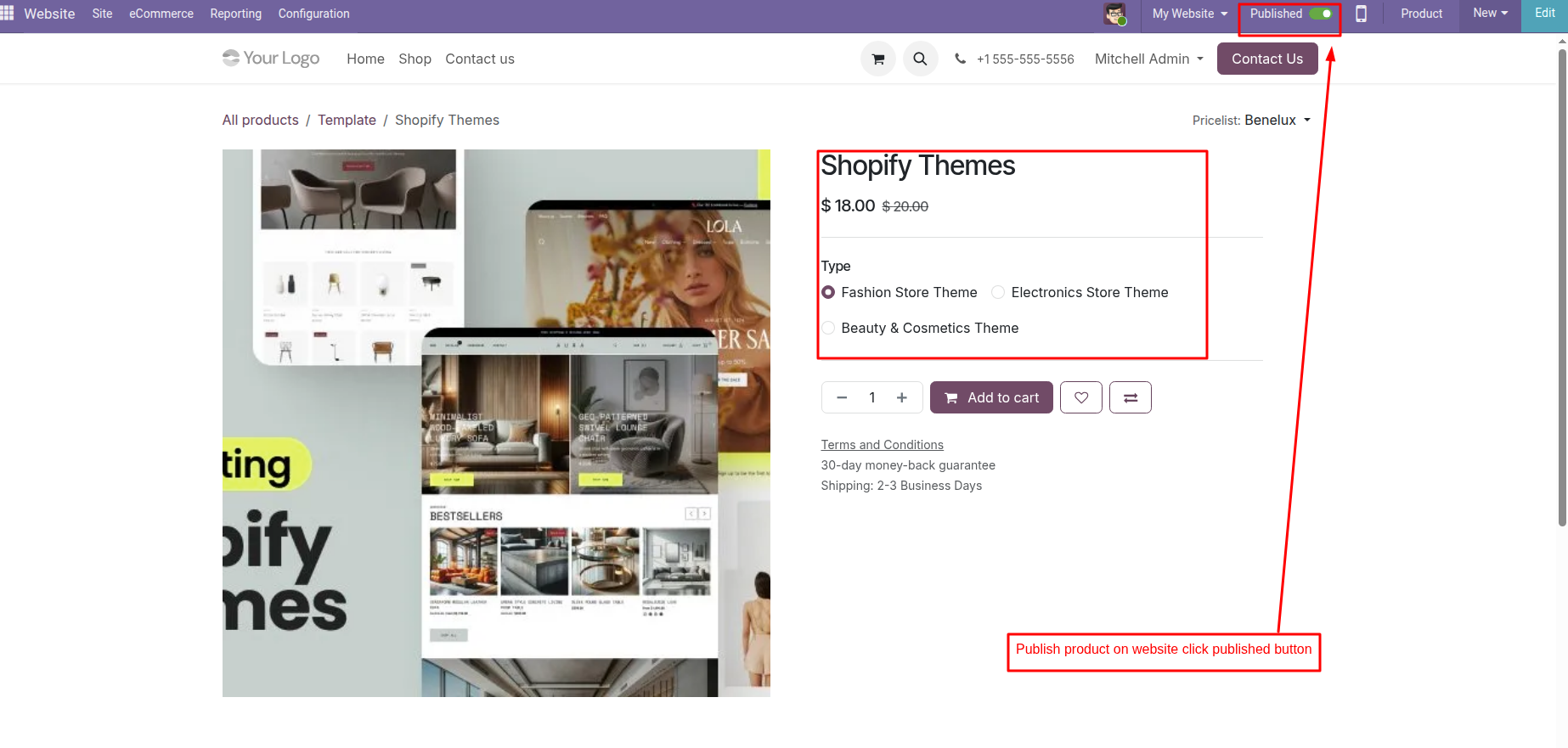
Open the product page and click “Go to Website.” Then enable the Published option.
Once published, the product will appear in your online shop, allowing visitors to view and purchase it.
To improve the product page, you can add:
High-quality images
Detailed product descriptions
Demo screenshots
Feature lists
Instructions for downloading the product
A well-designed product page helps increase trust and conversions.
Step 5: Configure Online Payment Methods
To accept payments from customers, you must activate online payment providers.
Go to:
Website → Configuration → Payment Providers
Odoo supports several payment gateways, including:
Stripe
PayPal
Razorpay
Authorize.Net
Manual payment methods
Once configured, customers will be able to complete purchases directly through your website checkout page.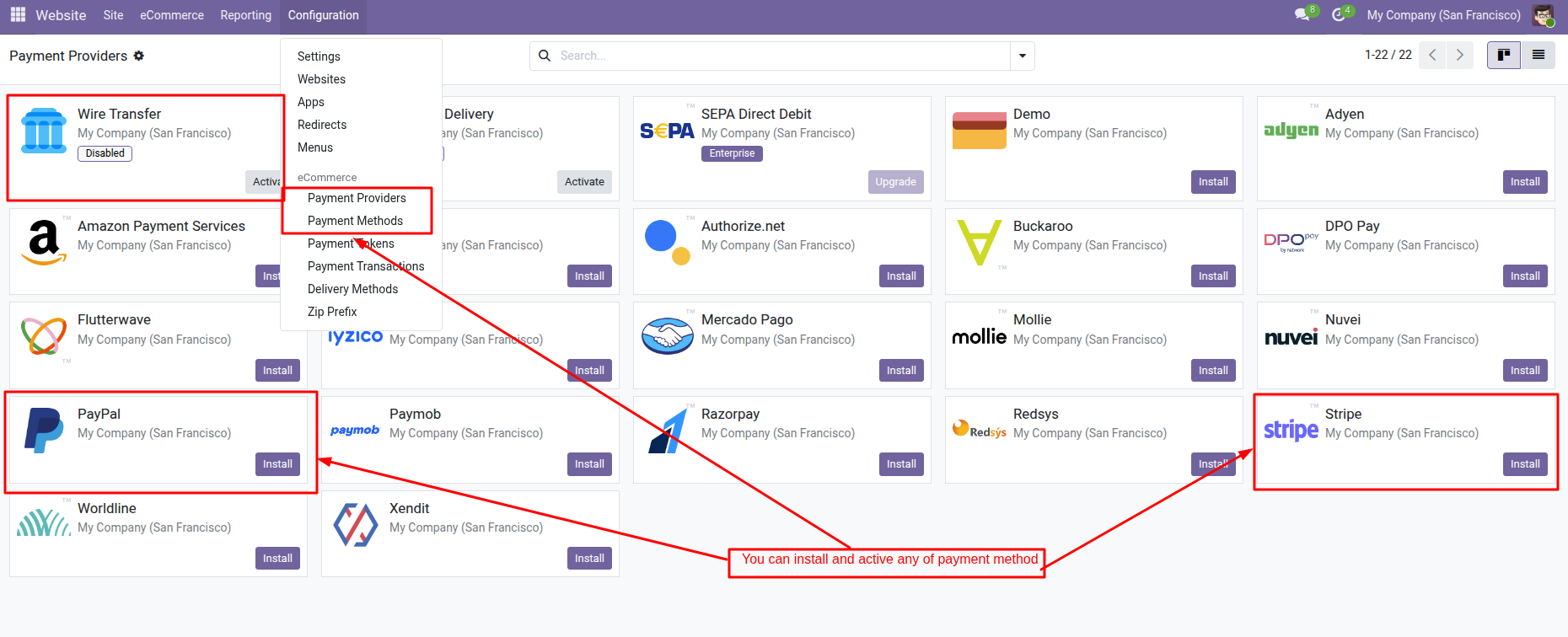
Step 6: Deliver the Digital Product Automatically
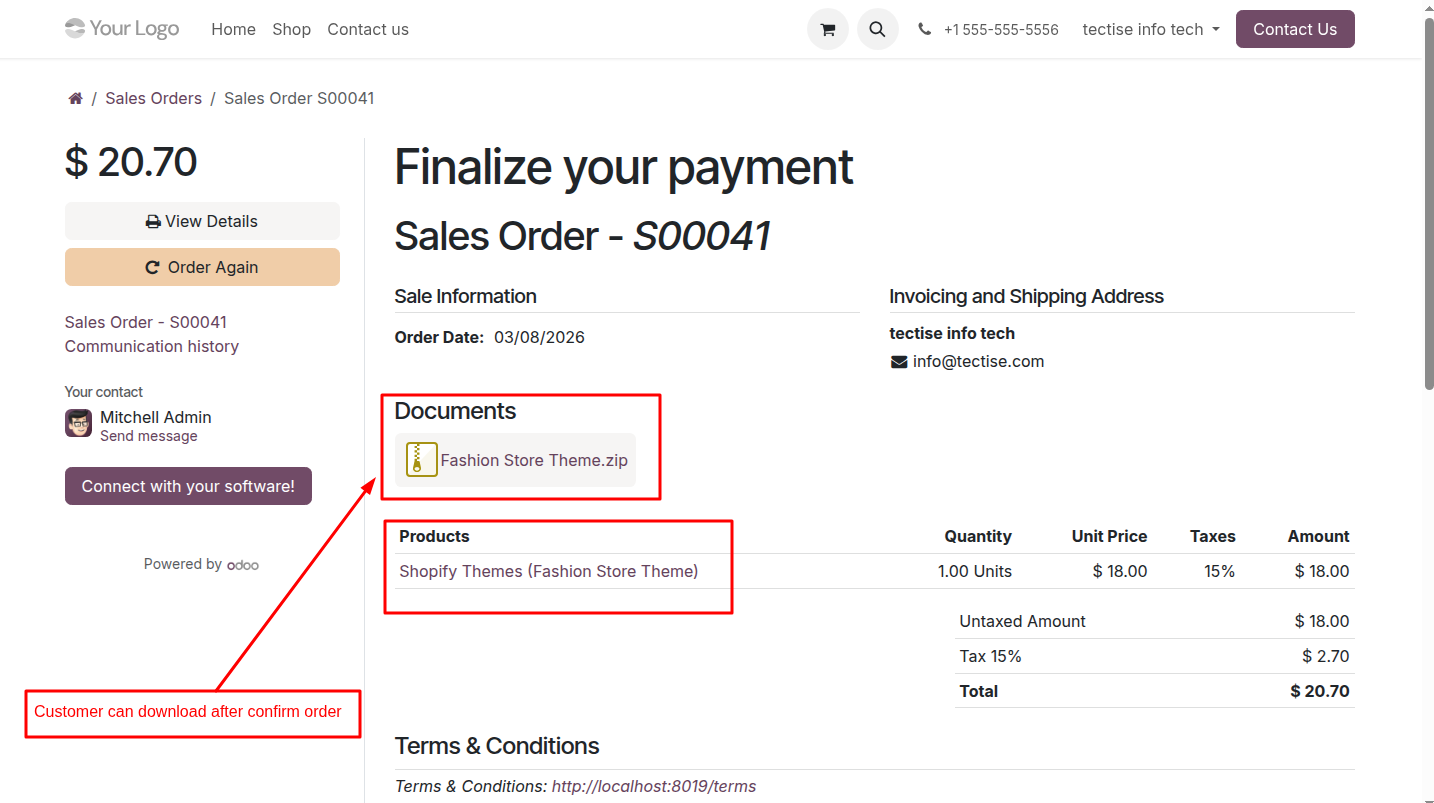
You can download file when order is confirmed, then user portal to sales menu user can download
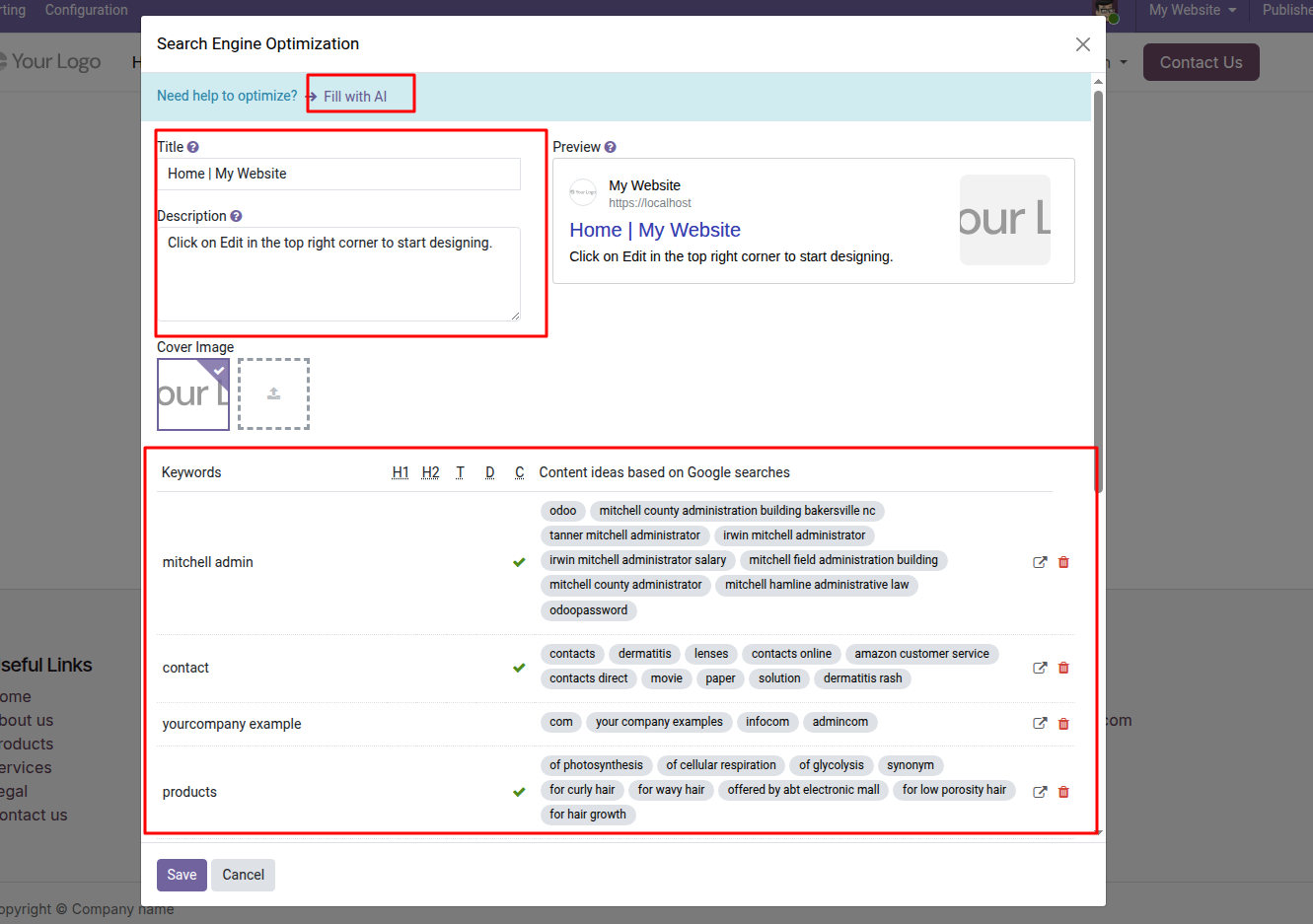
Step 7: Optimize Your Product Page for SEO
Click Website > Site > Optimized SEO to open wizard to input On Page SEO description and others information. 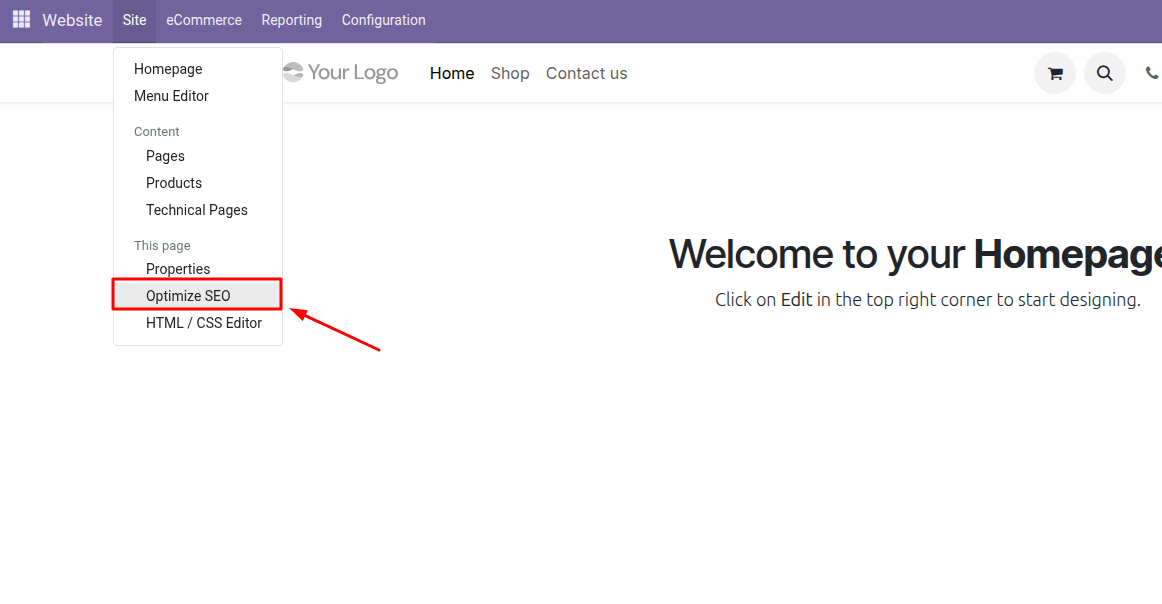
Step 8: Promote Your Digital Products
Now Your digital product store has been ready to get users, you can share you website link to social media (Facebook, Twitter and others)
Conclusion
Selling digital products using Odoo Website is simple and efficient. With the built-in eCommerce, payment integration, and automation tools, you can create a professional online store and deliver digital products instantly to customers worldwide.
Whether you're selling themes, courses, software, templates, or documents, Odoo provides everything you need to manage and scale your digital business.
If you are planning to build a digital product store or marketplace using Odoo, expert implementation can help you launch faster and ensure everything runs smoothly.
🚀 Tectise can help you design, configure, and launch your digital product store or marketplace using Odoo. From website setup and eCommerce configuration to automation and customization, our team can support you in creating a fully functional and scalable digital business. click here to discussion
With the right setup and expert support, your Odoo website can become a fully automated digital store that operates.